


OpenHubs Fast Guide.
How to register on OpenHubs and upload your project to form consortia with partners across Europe. Follow the 12 steps below to join the SYSTEMEU online community, set up your profile, and connect with potential partners.
This is VERY IMPORTANT if you want to receive SYSTEMEU funding. Completing your profile and uploading your project is essential for being found by potential consortium partners.
1 Account Setup
1
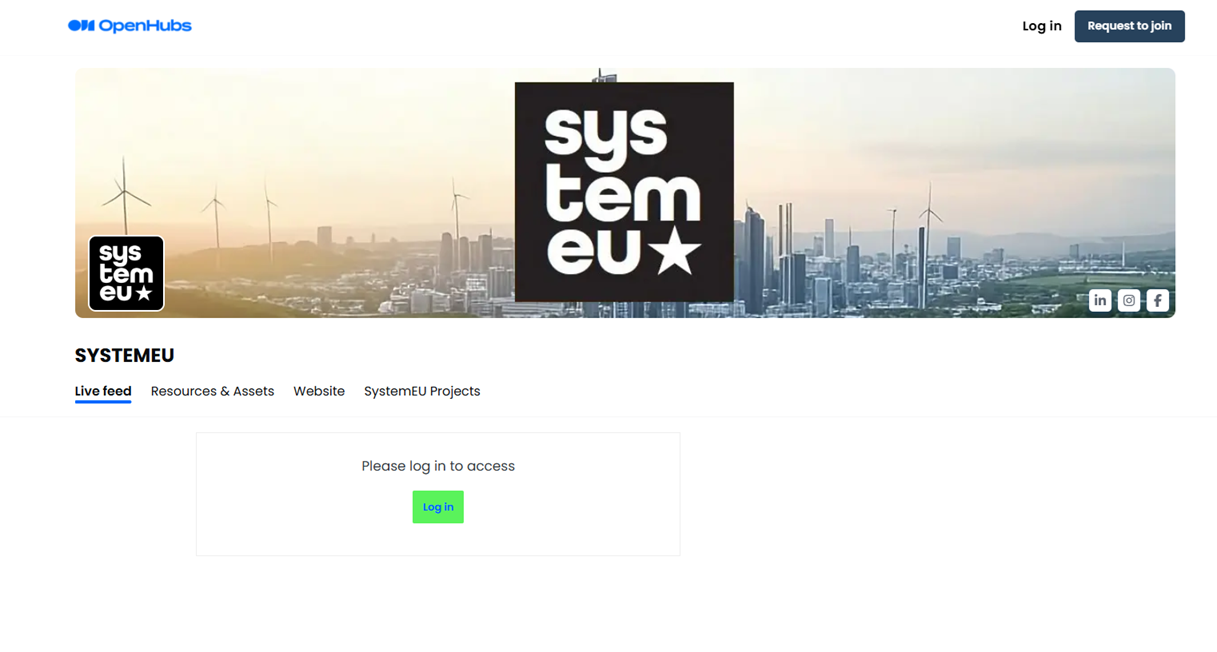
Go to openhubs.io and click on "Request to Join".
2
Fill out the form and submit your request to join. Remember to select SYSTEMEU in the dropdown menu.

3
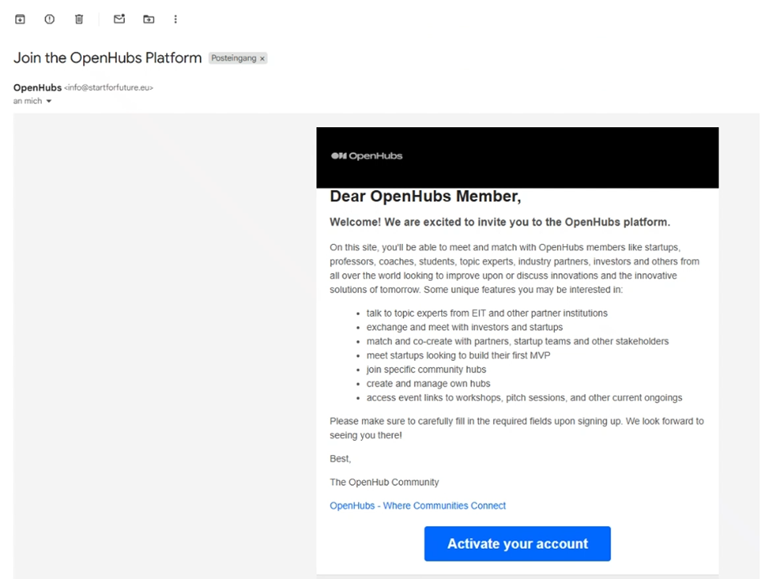
Check your email and activate your account.
4
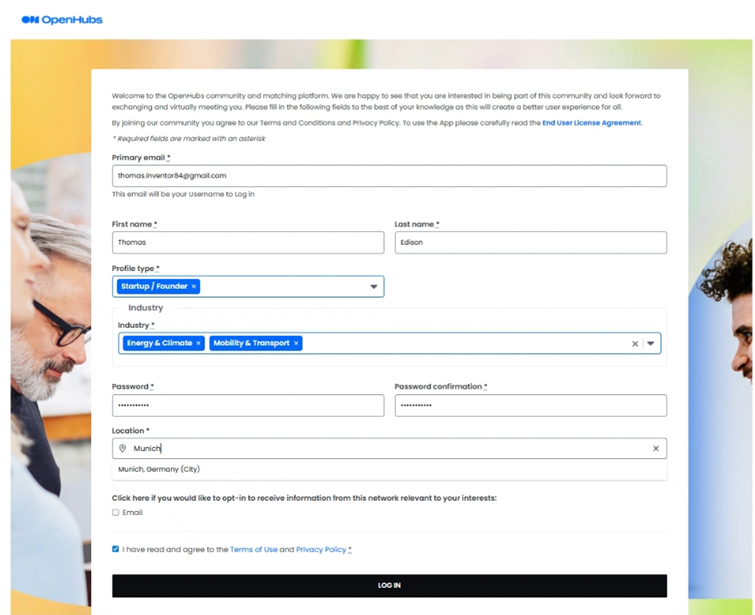
Complete the information and log in.
2 Your Profile
5
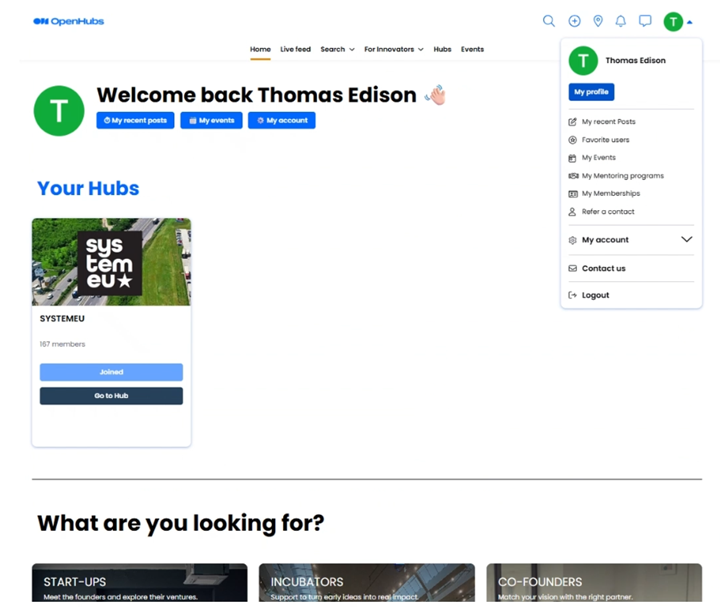
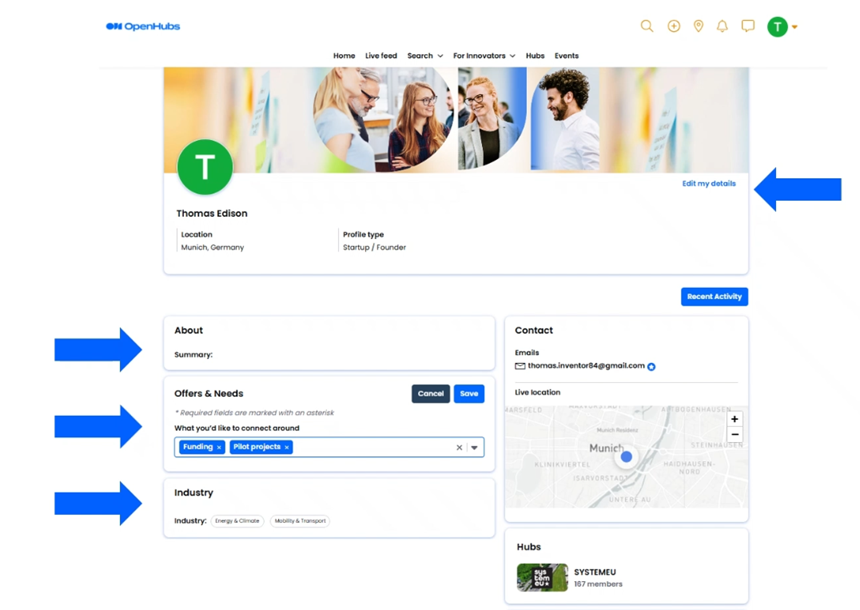
Go to the top-right corner and click on "My profile" to provide further information.
6
Edit your details. The more information you provide, the easier it will be for potential partners to establish if there can be a good match.
3 Your Organization
7
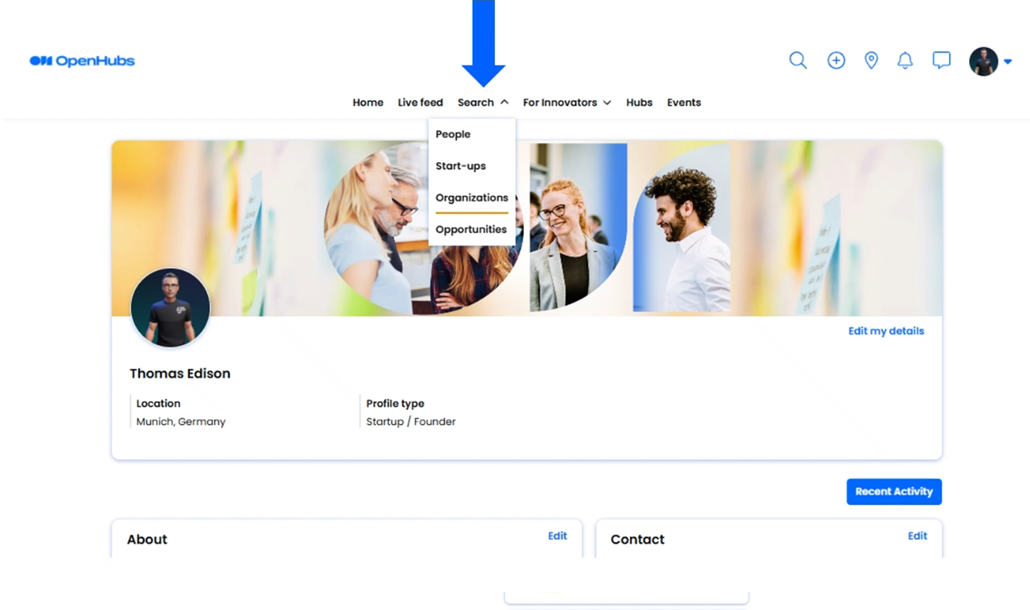
In the navigation bar, go to "Search" and click on "Organizations".
8
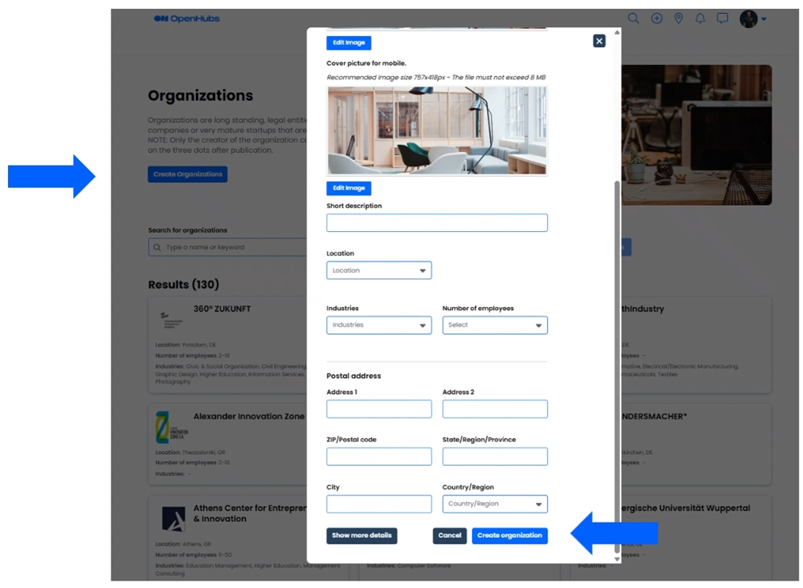
Click on "Create Organization" and fill out the information about your organization (startup, institution, SME, university, etc.).
9
Once the organization has been created, click on it and copy the link from your browser's address bar. You will need it later to upload your project to the SYSTEMEU community.

4 Join the Community
10
🎉 Welcome!
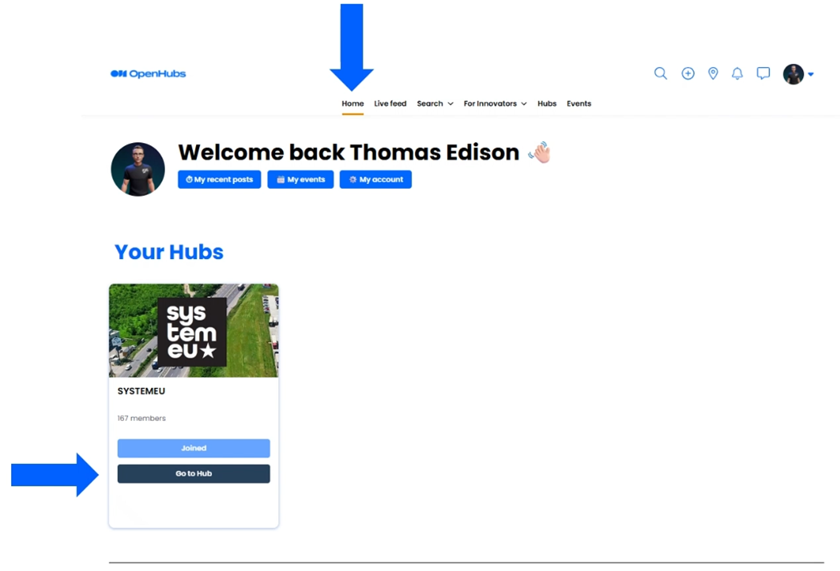
Welcome to the SYSTEMEU Online Community!
Take a moment to familiarize yourself:
- Go to the Live Feed to find the latest information, project partners and contact person in each region.
- Under Members, find an overview of all community members — check profiles and direct message them.
- Go to SYSTEMEU Projects and check opportunities for collaboration.

5 Submit Your Project
11
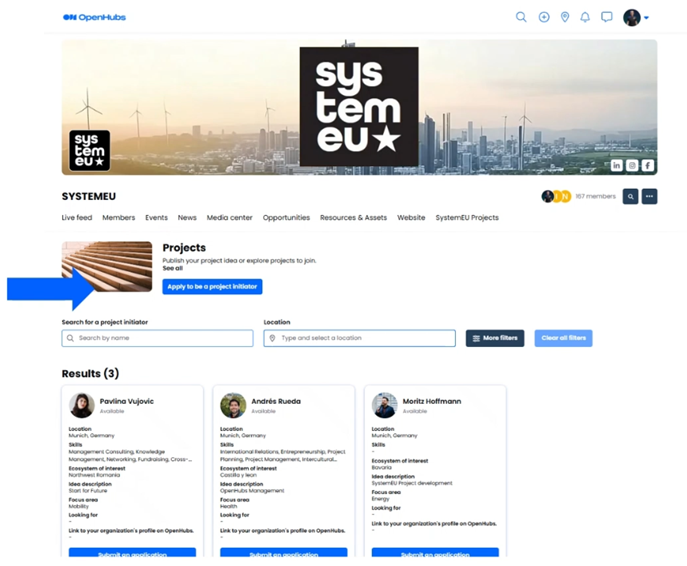
If you have a project idea and are looking for collaborators, click on "Apply to be a Project Initiator" and fill in the form. After approval from the SYSTEMEU team, your project idea will be published.
Also, scroll down and check what other members are looking for collaborators for.
12
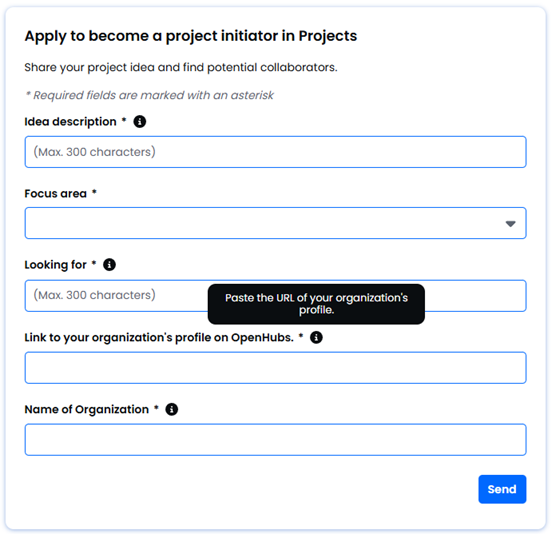
A form will appear. Fill in all the required fields — and in the field "Link to your organization's profile on OpenHubs", paste the link you copied in Step 9.
Once submitted and approved, your project will be visible to the entire SYSTEMEU community. Other members will be able to contact you directly to collaborate — a key tool for building your consortium.
Equally, on the SYSTEMEU Projects page you can browse all published projects and reach out to any team you find interesting.
🎉
That's it! Good luck building your consortium.
If you have any questions about the registration process or the SYSTEMEU community, don't hesitate to get in touch with us. We're happy to help!
info@systemeuvalley.eu  info@systemeuvalley.eu